
Top Forex Trading Tips for South African Traders
📈 Discover practical forex trading tips tailored for South African traders! Learn risk management, platform selection, and trading strategies to boost success. 🇿🇦
Edited By
Oliver Bennett
Forex trading has become a popular way for many South Africans to participate in global financial markets. However, choosing the right trading app can feel like navigating a maze with no clear path. Between varying features, security concerns, and different fee structures, picking the right tool is a big part of setting yourself up for success.
This guide aims to clear the fog and give you practical advice specifically tailored to South African traders. Whether you're a seasoned pro or just starting out, understanding what to look for in a forex app can save you time, money, and frustration down the line.
We’ll cover everything from must-have features and security practices to cost comparisons and user experience. By the end, you'll have a better grip on which app suits your style and needs, making your forex trading journey more confident and efficient.
Choosing the right forex trading app isn't just about flashy features; it’s about finding a reliable partner that fits your strategy, budget, and market outlook.
When selecting a forex trading app, especially if you're trading from South Africa, it's not just about flashy graphics or catchy ads. You need to focus on practical features that’ll actually aid your trading efforts. A solid app helps you execute trades quickly, keeps your data secure, and offers all the tools you'd need to spot opportunities without much hassle. After all, your trading app is the bridge between you and the forex market. Get it wrong, and you risk slow executions or data leaks; get it right, and you're giving yourself a fighting chance.
No one wants to get lost trying to close a trade when the market’s moving fast. A clear, intuitive navigation system means you find what you need without digging through endless menus. Look for apps that prioritize simplicity—think big buttons, clear labels, and a logical flow that suits your trading habits. For example, MetaTrader 4 keeps functions like charts, trade reviews, and account info easy to access right from the main screen.
A one-size-fits-all approach rarely works in forex. You want to make the app your own, tailoring the dashboard so it shows what matters most to you. This might include live charts, your open positions, or news updates about the rand. Apps like Plus500 let users move widgets around or toggle different views so you’re not stuck with clutter you don’t use.
Online security is non-negotiable. Reputable trading apps use advanced encryption—AES-256, for example—to scramble your personal and financial data. This stops hackers from scooping up your info in transit or at rest. If you ever spot a trading app without clear mention of such encryption, consider it a red flag and move on. Your peace of mind while trading is worth it.
Passwords alone? That’s a thing of the past. Two-factor authentication (2FA) adds an extra safety net. Think of it as a double lock on your trading account: after entering your password, you need a code sent to your phone or generated by an app like Google Authenticator. Even if a hacker guesses your password, they'll struggle to get in without that second factor.
Leverage feels like a double-edged sword. Some apps offer leverage up to 1:500, which sounds like a jackpot. But for South African traders, where regulatory bodies like the FSCA have tightened rules, you may find leverage capped closer to 1:30 for forex to protect you. Make sure the trading app displays the available leverage clearly—it affects how much you need to put upfront and how big your positions can be.
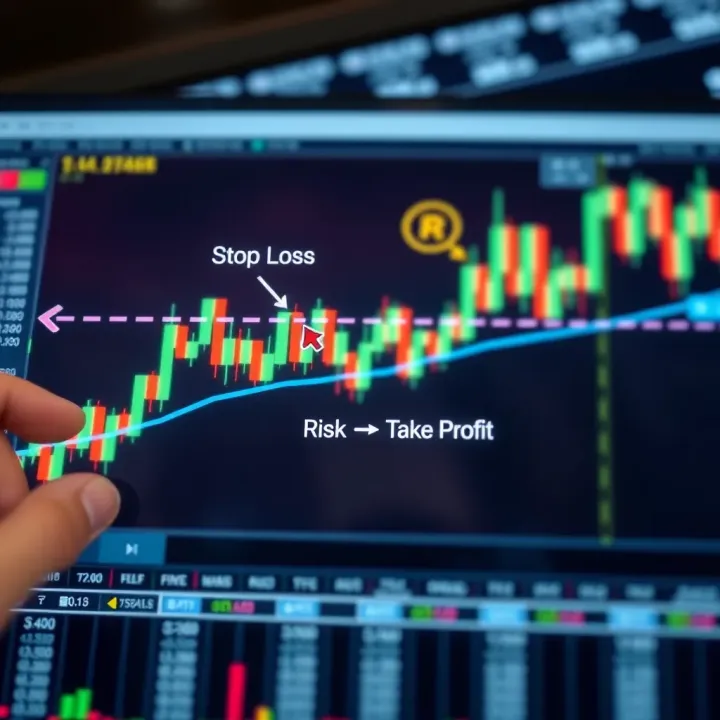
With great leverage comes great responsibility. High leverage means you can win big or lose fast. Good apps don’t just offer leverage; they also come with risk-management tools like stop-loss orders, negative balance protection, and margin call alerts. These features keep your losses in check, helping you avoid wiping out your account during volatile market swings.
How you enter and exit trades matters. Most apps support market orders, where your trade executes at the current price, and limit orders, where you set a price you want to buy or sell at. Using limit orders effectively can save you money during price dips or spikes. A good forex app will make placing both types straightforward, with minimal clicks.
Every second counts in forex. If your order takes too long to execute, you might miss the price you aimed for, which can turn a smart trade into a headache. Look for apps that boast low latency and fast execution speeds. Brokers using servers close to major forex exchanges tend to perform better in this area. For example, MetaTrader platforms running through local South African brokers often ensure trades hit the market quickly.
Choosing the right features in your forex trading app isn't just a nice-to-have—it's the foundation for trading success. Prioritize usability, security, sensible leverage, and quick order execution to keep your trading sharp and your funds safe.
When it comes to forex trading in South Africa, choosing the right app is like picking the proper tool for a fix-it job — the wrong choice can lead to unnecessary headaches. Popular apps have built-in trust, proven reliability, and a range of features tailored for different trading styles. South African traders need to consider factors like app compatibility with local brokers, cost efficiency, and security standards that align with regional regulations.
The ripple effect of using well-regarded platforms includes smoother operations, better customer support, and an active user community that can help ease any troubleshooting or strategic questions. Let’s look closer at some widely used apps and what makes them fit for local traders.
MetaTrader 4 (MT4) and MetaTrader 5 (MT5) remain household names in forex trading worldwide, and for good reasons. MT4 is favoured for its straightforward interface and solid charting tools, packed with technical indicators like RSI, MACD, and Bollinger Bands. Its scripting language, MQL4, allows traders to automate strategies with Expert Advisors (EAs), giving active traders more control over execution without babysitting every move.
MT5 builds on this by adding more timeframes, additional order types, and economic calendars integrated directly into the platform. This makes it a bit more versatile, especially for traders looking beyond forex to stocks or CFDs. Both are available on desktop and mobile, ensuring adaptability across devices.
Knowing the ins and outs of MT4 and MT5 enables South African traders to not only make efficient trades but also to tailor strategies using custom indicators or automated bots.
Many brokers operating in South Africa support MT4 and MT5, including giants like IG, ForexTime (FXTM), and HotForex. These brokers offer seamless integration, so you don't have to jump through hoops to connect your app to a broker’s platform. And because these brokers comply with the Financial Sector Conduct Authority (FSCA), traders benefit from a layer of regulatory oversight.
Using widely available platforms means easy access to customer support in local languages and better adaptation to South African payment systems, like EFT or credit card deposits. It also means South African traders can hop onto global markets without losing local connectivity.
ZuluTrade and similar social trading platforms make forex less intimidating for newcomers by allowing them to mimic the trades of experienced professionals. This copy trading functionality means you don’t need to reinvent the wheel—just follow someone with a proven track record. It’s like having a seasoned fishing buddy showing you the best spots instead of casting blindly.
For South African traders juggling full-time jobs or other commitments, social trading provides a way to engage without staring at screens 24/7. Plus, many platforms offer risk-management features, so you can set the maximum amount you want to risk, keeping things tidy.
One of the richest assets of social trading platforms is their community. User ratings and reviews provide insights into the reliability and profitability of signal providers. South African traders can scan these ratings and join discussions to gauge who’s genuinely successful and who’s just lucky.
Platforms like ZuluTrade showcase transparent performance stats, making it easier to vet signal providers. Traders can also interact in forums to exchange tips or warnings, which adds an extra layer of protection and knowledge-sharing.
Plus500 and EasyMarkets appeal largely due to their clean, intuitive interfaces designed for traders who might find bigger platforms overwhelming. These apps simplify the process of placing orders, tracking profits, and managing risk. Features like one-click trading and clear risk warnings help beginners stay on the right path.
Both platforms offer mobile apps optimised for fast trading on the go and simplify functions without dumbing down crucial options. For South African traders, this ease can mean the difference between missing an opportunity and jumping in at the right moment.
When it comes to costs, Plus500 and EasyMarkets generally operate on a spread-only basis, meaning there are no hidden commissions but slightly wider spreads compared to ECN brokers. This flat fee approach is straightforward and makes budgeting easier.
For South African users, it’s important to consider the impact of spreads on trading strategies, especially those relying on frequent trades (scalping) where costs can accumulate quickly. Always evaluate the spread range during volatile market hours and check for fees related to overnight swaps or inactivity charges.
Understanding cost structures upfront helps South African traders avoid nasty surprises and plan their trades more effectively.
In summary, choosing a popular forex trading app means balancing robust features with ease of use and cost efficiency. Whether you’re drawn to the versatility of MetaTrader, the social edge of ZuluTrade, or the simplicity of Plus500, it’s crucial that the app fits your style, budget, and regulatory comfort areas to make your trading journey smoother and more confident.
When diving into forex trading, understanding the costs and fees attached to your trading app is no small matter. It’s easy to get caught up in the excitement of trading, but those seemingly small charges can eat into your profits or even turn a winning trade into a loss. This section zeroes in on the types of fees traders in South Africa are likely to encounter and how to navigate them wisely.
One of the first things traders should grasp is the difference between fixed and variable spreads. A fixed spread stays the same irrespective of the market conditions. For example, if an app shows a 2-pip spread on the EUR/USD pair, it remains constant throughout the day. This can give peace of mind, particularly for beginners, since you’re not caught off guard by sudden widening during volatile moments. However, fixed spreads might be slightly higher than variable spreads, which can make trading costlier over time.
On the other hand, variable spreads fluctuate based on market liquidity and volatility. During calm market hours, spreads may shrink to as low as 0.5 pips on platforms like ThinkMarkets or IG, but during news releases or turbulent times, they can balloon dramatically. This means costs can be unpredictable but often lower in normal conditions.
Understanding which spread structure fits your trading style makes a real difference. If you prefer tight cost control with some predictability, fixed spreads might suit. If you’re chasing the smallest possible costs and can handle the occasional spike, variable spreads offer an edge.
Broker commission policies vary widely too. Some brokers charge a commission per trade, while others claim to be commission-free but make their money off wider spreads. For instance, FXTM offers accounts with a small commission but tighter spreads, while Plus500 incorporates their charges into spreads without a separate commission. Carefully read the fine print — a “no commission” claim might disguise higher indirect fees.
Negotiating your trading costs means balancing commission fees against spreads. A broker with a low commission but tiny spreads might be cheaper overall than one with no commission but wide spreads, especially if you execute many trades.
Moving money in and out of your forex account can be another hidden drain. Many apps levy fees on deposits or withdrawals, which differ depending on the payment method. Common charges include fixed fees per transaction or percentage fees for certain gateways.
For South African traders, popular deposit methods include bank transfers, credit/debit cards, and e-wallets like Skrill or Neteller. Bank transfers often take longer but can be cheaper or free, while card payments and e-wallets may attract 2–3% fees. For example, IG might charge no deposit fee but a small withdrawal fee depending on the method used.
These fees can pile up, especially if you frequently top up or cash out your account. It’s smart to pick a broker whose payment fees align with your trading frequency and preferences.
Typical processing times also vary and can affect your trading plans. Bank transfers might take 2–5 working days in South Africa, while e-wallets or card payments often clear much faster, sometimes instantly. Withdrawal times can stretch longer—as much as a week in some cases—due to verification procedures or banking holidays.
Being aware of these timelines keeps you nimble. Say you spot a market opportunity; waiting days for your funds to become available could mean missed chances. Conversely, understanding this helps set realistic expectations for accessing your profits.
Always read the broker’s fee schedule and payment terms to avoid surprises. While some apps might offer zero fees to attract traders, those costs often resurface elsewhere, so a skeptical eye pays off.
Knowing the ins and outs of costs and fees helps you keep more of your gains and avoid nasty surprises. When picking a forex trading app, consider how spreads, commissions, deposit, and withdrawal fees fit with your trading habits and cash flow needs. This practical approach means you’re not just picking an app for its flashy features but for true financial sense.
Choosing a forex trading app without considering regulatory compliance is like stepping onto a busy freeway blindfolded – risky and unwise. Regulatory standards act as a protective shield, ensuring that trading apps and brokers operate fairly and safeguard users’ funds and personal data. In South Africa, where forex trading is growing ever popular, knowing how to verify if your trading app meets these standards is vital to avoid scams and subpar platforms.
Regulatory compliance not only protects your money but also assures that the app follows strict rules regarding transparency, security, and dispute resolution. For example, if an app is regulated locally, you have a real authority to turn to should anything go wrong. Without it, you're basically on your own in a vast, potentially risky market. Knowing this upfront keeps your trading experience safe and trustworthy.
The FSCA is South Africa's financial watchdog specifically responsible for regulating the financial markets, including forex trading platforms. Their job is to ensure that brokers and trading apps adhere to rules that protect consumers. When an app or broker is FSCA-licensed, it means they have met certain standards, like keeping client funds separate from operating funds and transparent reporting.
Why does this matter to you? Because it minimizes the risk of fraud or misuse of funds. If your chosen app is FSCA-registered, you’re in safer waters. The FSCA also handles complaints, so they are your first point of contact for resolving disputes if the broker acts unethically or if the app malfunctions in a way that harms users.
While FSCA licensing is key for local compliance, some South African traders also use international brokers regulated by global authorities. Entities like the UK's Financial Conduct Authority (FCA), the US Commodity Futures Trading Commission (CFTC), or Australia's ASIC have stringent rules that many reputable brokers follow. These regulators often require higher capital reserves and strict client protection rules.
If an app is regulated by multiple reputable bodies, it demonstrates a stronger commitment to compliance across different markets. However, always be cautious — some brokers might highlight international regulation but neglect local permissions, which can cause complications for South African users when it comes to legal protections and fund withdrawals.
Before committing, spend time verifying the broker's credentials:
Check FSCA's official register: The FSCA website lists licensed brokers. Look for the exact name of the firm. Misspellings or slight name changes could be a red flag.
Confirm international regulatory status: Cross-check with international bodies’ registers if the broker claims foreign licenses.
Review identification documents: Reliable platforms will require KYC (Know Your Customer) checks, including ID verification and proof of address, which is a good sign the broker operates legitimately.
Taking these steps isn’t just busywork; it prevents falling for fraud, which sadly happens all too often in the forex world.
Be on guard if you notice any of the following:
Unrealistic promises: Guarantees of huge returns with zero risk are a classic scam sign.
Lack of clear regulatory information: If the app or broker does not clearly state its licensing details or if these cannot be verified through official channels, stay away.
Pressure tactics: Pushy sales calls or aggressive prompts to deposit more funds often indicate a shaky operation.
Poor or no customer support: If communication is difficult or you get vague answers about regulations, that’s a warning sign.
Remember, taking a moment to sniff out these red flags can save you from losing hard-earned money or falling into a scam.
Checking regulatory compliance is more than just tick-boxing it. For South African traders, it’s about choosing an app that offers security, transparency, and legal backing. Without this, you’re exposing yourself to unnecessary risk — making regulatory checks one of the smartest moves in your trading journey.
Choosing the right forex trading app isn't just about a sleek interface or low fees; the tools and resources packed into the app can make a huge difference in your trading outcomes. Having solid charting capabilities and timely market updates at your fingertips helps you stay ahead of market moves and manage risk smarter.
One of the most critical assets in a trader’s toolkit is strong charting and analysis options.
Technical indicators serve as your compass in the noisy world of price movements. Simple moving averages (SMA), Relative Strength Index (RSI), and Bollinger Bands—these aren't just jargon but powerful tools that help you identify trends, overbought or oversold conditions, and price volatility. For instance, if the RSI for USD/ZAR climbs above 70, it might suggest the currency is overbought, hinting at a pullback. A good trading app should let you layer several indicators on one chart, tweak their settings, and get a clear picture without clutter.
Historical data availability allows you to review price action over days, months, or even years. This retrospective view is vital for spotting recurring patterns and understanding how past events influenced currency pairs. For example, South African traders can analyse how the Rand typically reacts around the Reserve Bank’s interest rate decisions by reviewing historical charts within the app. Detailed, accessible history means you can backtest strategies before putting real money on the line.
Staying updated with market-moving news is just as important as technical analysis in forex.
Real-time alerts keep you in the loop without having to stare at the screen all day. Whether it’s a sudden spike in volatility for EUR/ZAR or an unexpected announcement from the US Federal Reserve, instant notifications allow you to act fast. The difference between a profitable trade and a missed opportunity can hinge on these alerts, especially when operating across multiple time zones.
Global economic calendar integration rounds out your information arsenal. This feature displays upcoming events like GDP releases, employment reports, or trade balance figures that impact forex markets. A trading app tailored to South Africans should offer a calendar that shows local and international events in a clear, digestible format. Knowing that South Africa’s Stats SA will release inflation data next week helps you prepare for possible Rand swings and plan trades accordingly.
Ultimately, choosing a forex trading app with robust charting tools and timely market updates isn’t a luxury—it’s a necessity. These resources turn raw data into actionable insights essential to making informed decisions amidst the unpredictable forex market.
By focusing on these tools and resources, you not only sharpen your trading edge but also build greater confidence in your strategy and decisions.
When it comes to choosing between mobile and desktop forex trading apps, understanding their pros and cons is essential for South African traders. Each platform offers distinct advantages and drawbacks that can impact your trading experience and success. Whether you're sitting at your desk or catching up on trades during a hectic day, knowing which tool fits your lifestyle and trading needs can make all the difference.
On-the-go trading advantages
Mobile apps give you the freedom to trade from almost anywhere—be it a taxi ride in Johannesburg or a coffee shop in Cape Town. This flexibility is huge for traders who want to stay connected to the markets without being chained to their desks. For example, if a sudden news event shakes the rand, you can react quickly using apps like IG or FXTM's mobile platforms, closing or opening positions without delay.
However, on-the-go trading means you have to trust your mobile device to perform smoothly and securely. Mobile apps tend to offer simplified interfaces, focusing on quick order execution rather than deep market analysis on the fly. Still, for many traders, the ability to act fast outweighs these limitations.
Connectivity considerations
Trading on mobile relies heavily on a stable internet connection, which can be patchy in certain parts of South Africa. For instance, while 4G networks cover major cities well, rural areas might experience lag or unexpected disconnections that could cost you money. It’s smart to test your connection before jumping into high-risk trades on mobile.
In contrast, desktop trading platforms usually run on more stable internet setups like fiber or broadband, reducing the risk of crashing orders due to connectivity issues. South African traders should consider their usual environment—if you’re mostly in an urban area with steady Wi-Fi or 4G, mobile trading stays viable; if not, desktop might be the safer bet.
Feature limitations on mobile
Mobile forex apps often pare down complex functions to fit smaller screens and streamline navigation. For example, while MetaTrader 4 mobile lets you open and close trades or set alerts, it doesn't offer the full suite of custom indicators and expert advisors you'd find on the desktop version. This can be a bummer if you rely heavily on technical analysis.
Moreover, multitasking or running multiple charts simultaneously is tricky on phones or tablets. In practice, this means you might miss subtle market signals or have to switch between screens, breaking your focus. Traders looking to dive deep into complex strategies might find mobile platforms a bit limiting.
Power of desktop platforms
Desktop apps bring a more powerful trading experience thanks to their bigger displays, faster processors, and richer features. Platforms like MetaTrader 5 or cTrader offer advanced charting, automated trading options, and the ability to manage multiple accounts with ease. This allows South African traders to analyze trends, backtest strategies, and execute sophisticated orders without compromise.
For example, desktop platforms enable integration with custom scripts or third-party plugins that provide an edge in volatile markets like forex. Plus, they often process orders faster due to direct broker connections and less restrictive hardware.
Choosing between mobile and desktop forex apps boils down to your trading style, lifestyle, and the kind of trades you prefer. Mobile is great for quick tweaks and staying connected; desktop is better suited for in-depth analysis and complex trades.
Mobile apps offer great flexibility and instant access but may lack some advanced features.
Desktop platforms provide powerful tools and stable performance but tether you to a fixed location.
Understanding these pros and cons will help South African traders pick the right app that fits not only their technical requirements but also lifestyle needs and local infrastructural realities.
Choosing the right forex trading app isn’t just about flashy features or low fees. It’s about how well the app fits your own trading habits and goals. What works great for one trader can feel like a square peg in a round hole for another. Testing apps before settling down can save you headaches and lost opportunities.
This step is crucial because trading styles vary widely—from those who prefer quick, frequent trades (scalpers) to investors who hold positions for days or weeks (swing traders). A mismatch between app functionality and style can lead to missed trades or inefficient decision-making. For example, if you like to monitor charts intensely and execute trades fast, an app with slow order execution or clunky navigation won’t cut it.
By testing trading apps, you get hands-on experience — you can see what feels intuitive, which tools you rely on regularly, and how well the app handles real-time market conditions. It’s a practical approach that beats reading specs or marketing hype alone.
One of the biggest perks of demo accounts is they let you trade with virtual money, removing the stress of risking real cash. If you’re new to forex or trying a new app, this kind of risk-free environment is a lifesaver. You can experiment with different strategies or get familiar with how the platform operates without worrying about losing hard-earned rand.
For instance, say you want to try out high leverage trading on a new app. Using the demo, you can see how your position would move, how margin calls are handled, or where stop-loss orders kick in — all without any real financial damage.
In South Africa, where traders often face currency volatility, getting a safe trial run helps build confidence to step into live trading with a clear sense of the app’s capabilities.
A demo account also lets you judge if the app’s features really meet your needs. How responsive is the charting tool? Can you customize your dashboard to highlight your favorite currency pairs or indicators?
Take Plus500’s mobile app, for example. It’s known for simplicity, but less feature-rich for advanced traders. Practicing on their demo could quickly show if the simplicity suits your fast-trading or if you need more complex tools like those in MetaTrader 5.
Test the ease of placing different order types, like limit or stop orders, and the clarity of your portfolio overview. A cluttered interface or sluggish performance could slow you down in volatile markets.
Use the demo to check out the app’s alerts and notification systems too. Do they interrupt your focus or keep you informed without overwhelming?
Before committing to an app, it’s smart to peek at what others are saying. But don’t just skim the first few reviews—dig into credible sources and platforms with verified user feedback. Look out for consistent themes that either praise or criticize the app’s reliability, execution speed, or customer support.
For instance, if several users complain about withdrawal delays with a certain app in South Africa, that’s a red flag worth considering before you deposit funds. Meanwhile, expert reviews from respected sites can offer balanced views, highlighting both pros and cons from a market-wide perspective.
Pay particular attention to recurring comments. Are users unanimous about bugs after updates? Do they mention the app freezing during high-volatility times? Such issues could cost you real money.
On the flip side, users might repeatedly mention how intuitive the interface is or praise a responsive support team. These real-world insights help you set realistic expectations and prepare for any hiccups.
Make a checklist:
Speed of order execution
App stability and bugs
Customer service quality
Withdrawal and deposit ease
Feature availability vs advertised claims
In short, combining personal testing with user and expert feedback creates a solid framework for selecting an app that feels right for your trading style.
Remember: The best forex trading app is the one you can trust and use comfortably every day, not necessarily the one with the most bells and whistles.
📈 Discover practical forex trading tips tailored for South African traders! Learn risk management, platform selection, and trading strategies to boost success. 🇿🇦

📈 Discover practical forex trading tips and tricks tailored for South African traders. Learn strategies, manage risk, and master trading psychology to boost your success.
📈 Master forex trading with step-by-step tutorials for every skill level. Learn market basics, analysis, risk management, and trading platforms confidently.
🌍 Learn how Forex trading sessions impact your strategy in South Africa 🇿🇦. Discover session traits, overlaps, and tips to boost your trades effectively.
Based on 11 reviews