
Choosing Free Forex Trading Software in South Africa
Explore the best free forex trading software for South Africans 🇿🇦. Learn key features, pros & cons, and find the right platform for your trading style 📊💻.
Edited By
Lucy Foster
Diving into forex trading can feel like stepping into a whirlwind, especially when you're conscious of the costs that pile up. For South African traders looking to get a foothold without emptying their wallets, free forex trading software stands out as a smart starting point. This guide sheds light on how to find and make the best use of these tools, helping you trade smarter without paying a dime.
Choosing the right software is more than just about saving money — it’s about securing a reliable platform that can handle the fast-paced world of currency markets. From essentials like real-time charts to advanced features like automated trading, free options have come a long way.
Throughout this article, we’ll cover what to look for in free forex software, highlight popular choices tailored to South African traders, show you how to set up and integrate these tools with your broker, and share savvy tips on avoiding common traps. Whether you’re new to trading or just scouting for cost-effective upgrades, this guide aims to equip you with practical knowledge to enhance your trading game without blowing your budget.
Remember: In forex, tools can be your best ally, but only if chosen wisely and used properly.
Picking the right forex trading software can feel like wandering through a labyrinth. For many traders, especially those just starting out in South Africa's forex market, free trading platforms offer a sensible doorway. They provide a chance to dip your toes in without the added pressure of upfront costs. Not everyone has deep pockets to throw at expensive tools, so free options level the playing field and let people focus on learning and refining their strategies.
Using free forex software means you can test the waters and get familiar with trading mechanics without risking your budget. It’s like trying a new recipe before hosting a big dinner—better to make mistakes in practice than with real money. Plus, since these platforms often come packed with essential features, new traders are equipped to explore charting, technical analysis, and order types without additional charges.
Understanding why free software matters provides the backbone for making smart choices. You get a clear run-down of what’s at stake, what benefits lie ahead, and what to watch out for—all crucial for building your confidence and skill in the forex space.
One of the biggest draws for free forex software is, quite simply, saving money. New traders often face a tight budget and must be strategic about investments. Free platforms let you avoid monthly subscriptions or upfront fees, so every rand saved can be reinvested back into actual trading or education. For example, a South African newbie can start with MetaTrader 4 without spending a cent, keeping costs down during those crucial early learning phases.
With no financial commitment, you’re free to explore various software features thoroughly. Say you want to check how effective the charting tools are or how reliable the execution speed feels during volatile market moments. Using free versions helps you evaluate these without risking your wallet. This trial period is invaluable—you can weed out platforms that feel clunky or lack key tools before deciding on one to stick with.
Despite being free, many trading platforms still offer a surprising amount of functionality. Common essentials like multiple indicators, customizable charts, and real-time price data come standard in platforms like TradingView and cTrader. This means you get all the core components needed to make informed decisions. Having access to these tools is critical, especially if you want to chart trends or implement stop-loss orders to manage risk effectively.
While free platforms pack a punch, they often come with some limits. Certain advanced features may be locked behind paywalls, or the range of available indicators might be narrower than on paid software. For instance, automated trading options or in-depth backtesting could require upgrading to a premium service. Knowing these restrictions can help you avoid surprises and plan upgrades smartly as your trading style evolves.
Another area to keep an eye on: support services. Free software tends to offer minimal customer assistance compared to premium platforms. This means if you run into a technical hiccup or have questions about using the tools, you might have to rely on user forums or self-help guides instead of getting hands-on help. For traders who value quick resolutions, this can be a frustration.
Free software sometimes lags behind in updates or security patches, especially if the platform operators focus their energy on paid users. Running older versions increases exposure to bugs or vulnerabilities, which can affect trading accuracy and safety. It’s important to download software only from reputable sources and regularly check for updates to minimize these risks.
Choosing free forex trading software involves weighing the clear financial benefits against potential trade-offs in features and support. Being aware of these helps you make practical, informed decisions that suit your trading goals and resources.
Choosing the right trading software can make or break your forex experience. For traders in South Africa looking to dip their toes without shelling out hard-earned cash, understanding the landscape of free forex trading software is essential. This section will unpack some of the most widely used and trusted platforms, helping you get a clear picture of what to expect from each.
Knowing the features, community support, and compatibility of these platforms can save you time and frustration. Whether you want a robust tool for deep technical analysis or something simple to execute trades, free software options like MetaTrader, cTrader, and TradingView provide a sound starting point.
MetaTrader 4 (MT4) and its successor MetaTrader 5 (MT5) are arguably the most popular free forex trading platforms globally. Both offer a suite of features designed to cater to novice and experienced traders alike. MT4 is renowned for its easy-to-use interface and a stable environment for automated trading through Expert Advisors (EAs). It supports a rich set of technical indicators and charting tools.
MT5 takes things a notch higher by providing additional timeframes and more order types, which can be crucial for complex trading strategies. It also benefits from an integrated economic calendar and opportunities to trade other assets beyond forex, such as stocks and futures.
In practical terms, MT4 might be your best bet if you're primarily focusing on forex and want something tried-and-tested. On the other hand, MT5 suits those who want more flexibility and broader market exposure.
MT4 and MT5 boast vast, active user communities. This means if you hit a snag or want to exchange ideas, there’s almost always a forum or group ready to help. For example, South African traders often swap custom indicators and trading strategies on community sites, which can massively speed up your learning curve.
The marketplaces for EAs and indicators let you download and test tools others have developed, many for free. This crowd-driven support makes MetaTrader platforms more accessible, especially when you’re just starting out.
Both MT4 and MT5 play well across desktop systems—Windows and macOS—and offer mobile apps for Android and iOS. This cross-device compatibility means you can keep tabs on the markets whether you’re at your desk or on the go.
Additionally, many brokers operating in South Africa integrate directly with these platforms, simplifying account management and trade execution.
cTrader differentiates itself with a clean, modern interface designed for intuitive navigation. Unlike the sometimes cluttered feel of other platforms, cTrader presents information clearly, allowing traders to focus on analysis and decision-making.
Its design appeals to those who appreciate visual clarity and quick access to execution features. For instance, the panel layout can be customised easily, which helps when juggling multiple charts or order books.
This platform shines when it comes to advanced charting. cTrader offers a wide range of chart types and a comprehensive selection of technical indicators that can be tailored to your strategy.
The ability to draw trendlines, Fibonacci retracements, and other classic tools means you’re well-equipped to spot opportunities early. Furthermore, its multi-timeframe viewing helps traders confirm signals across different market perspectives.
cTrader supports integration with third-party services like Trading Central or AutoChartist for market analysis. There’s also a growing number of brokers that offer cTrader as an option, making it easier to link your trading account.
For those into algorithmic trading, cTrader provides an API and cAlgo platform, allowing you to develop and run customised trading robots. This flexibility can be a game-changer if you’re keen to automate your system without extra cost.
TradingView stands out with its entirely web-based platform, requiring no installation. This means you can access your account and charts from any device with an internet connection—no fuss about downloads or updates.
For South African traders who might switch between devices often, this offers a lot of convenience. Plus, the platform loads quickly and is user-friendly even on lower-end hardware.
One of TradingView's biggest draws is its social network aspect. Here, you can follow experienced traders, share ideas, and discuss market trends in real time. This community vibe can be really helpful for gaining market insights or just feeling part of something bigger.
You can also publish your own analysis and scripts, inviting feedback or collaboration. These social elements make forex trading less isolating and more dynamic.
For traders who want to delve deeper, TradingView supports Pine Script, a simple scripting language for creating custom indicators and alerts. This opens up opportunities to fine-tune your charting environment and automate monitoring for specific patterns.
Even if you're not a coder, there’s a huge library of public scripts to choose from and adapt, making it easy to add new functionality on the fly.
When picking software, consider how these options align with your trading style and technical comfort. What suits one trader may feel cumbersome to another, so take advantage of the free versions to find your fit before committing.
In summary, each platform—MetaTrader, cTrader, and TradingView—brings something unique to the table for South African forex traders looking for free tools. By knowing the strengths and focus areas of each, you can make an informed choice that suits your needs without burning a hole in your pocket.
Downloading and installing forex trading software safely is a step you can't overlook. It’s not just about getting the software onto your computer but making sure it’s reliable, secure, and free of malicious code. For South African traders, this process takes on even more weight—given the number of scams that float around online. You want software that performs well, but equally, you want your personal data and funds protected.
Being cautious during download and install means fewer headaches later on. For example, accidentally installing a fake trading app could expose you to malware or result in stolen credentials. On the other hand, using an unofficial source might mean getting an outdated version, which could cause bugs or missing features. Let’s break down how you can avoid these troubles by making smart choices early on.
The safest bet is to download forex software straight from the official website of the platform. For example, if you’re interested in MetaTrader 4 or 5, visiting MetaQuotes’ official domain will guarantee you get the latest, authentic version without any added risks. Official sites typically include detailed info about system requirements and updates, making life easier.
Downloading from the source avoids dodgy versions packed with unwanted extras or hidden malware. Remember, a few minutes checking the URL and site authenticity can save you hours of trouble later. Always look for signs like HTTPS and verified certificates.
Many South African forex brokers offer their traders direct download links for trading platforms they support. This is particularly handy for cTrader or custom platforms tailored to the broker’s services. For instance, an established broker like IG or FXTM provides downloads verified for compatibility with their accounts and trading conditions.
This route means your software is set up to integrate smoothly with your broker’s system, reducing technical glitches. Plus, brokers often bundle helpful tutorials or client support to assist you through setup, which is a big help if you’re less tech-savvy.
Downloading software from unofficial third-party websites is a gamble. These sources might distribute cracked or outdated versions, increasing the risk of malware infections or data breaches. Plus, such files can sometimes contain hidden ads or trackers that compromise your privacy.
If a website looks suspicious, misspelled, or offers a download without clear source details, just walk away. To keep your setup clean, stick to known official channels or broker portals. It’s better to spend a bit more time verifying than pick up something harmful that wastes your time or worse.
Before starting installation, check your device meets the software’s system needs. Programs like MetaTrader 5 may require Windows 7 or higher, a certain amount of RAM (usually 2GB or more), and a solid internet connection. Running trading software on a slow or outdated system can lead to lag, which is a killer in fast-paced forex markets.
For Mac or Linux users, check if the software supports your OS natively or requires a workaround like emulators or virtual machines. This prevents ugly surprises after download.
Once you have the installer, run it with admin privileges to avoid permission issues. Pay attention during installation screens—some free software might offer optional installs like adware or toolbars; skip those. Also, choose a custom installation if available, so you control what gets installed.
Regularly updating device drivers, especially for graphics, ensures your charts and indicators display correctly. And if you’re on a laptop or desktop, plug into a stable power source during install—it sounds obvious, but a shutdown mid-install can corrupt files.
When you first open your forex software, take time to configure it to your preferences. Enter your broker account details carefully, verify with demo accounts first, and set your time zone correctly to match your trading hours in South Africa.
Don’t rush into live trading; spend some sessions exploring charts, indicators, and order types. Check for automatic update settings to keep the software current without manual downloads. And finally, configure backups if available—for example, save your profile and setup files regularly to avoid losing your work due to crashes.
Taking these cautious, step-by-step measures not only protects your computer and data but also builds confidence in your trading routine. A clean start with properly installed software makes all the difference down the road.
When you're diving into the world of forex trading without splashing out cash on software, it’s critical to know what features really matter. Free platforms vary widely, and some can feel like trying to drive a fancy car with a missing wheel. The right features not only boost your confidence but also improve your chances in this fast-paced market.
The software should offer solid charting and technical analysis tools, allowing you to spot trends and make smart calls. You want tools that won’t leave you guessing or scrambling. Also, trade execution abilities matter — can you place orders quickly and with precision? And last but not least, a user-friendly interface makes a huge difference. If you’re fumbling around just to get to the right screen, you’re wasting precious time and maybe even money.
Let’s break down these essentials into chunks that you can easily apply when choosing your free forex software.
A good free forex platform should pack a punch with a wide range of indicators such as Moving Averages, RSI, Bollinger Bands, and MACD. These aren't just fancy acronyms; they help you measure market momentum, volatility, and potential reversal points. For instance, a trader using MetaTrader 4 could combine RSI with Moving Averages to time entry points better.
Having more options means you can tailor your analysis to your own style. Without a variety, it’s like fishing in a pond with just one type of bait — your chances go down.
The charts should let you tinker – change timeframes, add or remove technical overlays, adjust colours, and even save your preferences. Why? Because everyone reads the market differently. Some prefer candlestick charts, others like line or bar charts.
Being able to customise makes analysis clearer and faster. For example, TradingView lets users build custom templates and switch between chart types seamlessly, which can be a real time saver during volatile market phases.
There’s no room for delay in forex trading. You need real-time price updates, or you risk entering or exiting positions too late. Without this, you might base decisions on outdated info, which is like trying to catch a taxi that already left the rank.
Platforms like cTrader focus heavily on delivering live prices and order book changes instantly, which can affect your trading edge significantly.
You want your software to provide both market orders – to buy or sell immediately at current prices – and various pending orders like limit or stop orders. This flexibility lets you plan trades efficiently and avoid constantly watching the markt.
For example, placing a pending order to buy a currency pair only when it hits a specific price can help manage risk and automate parts of your strategy.
These order types aren’t just nice to have; they're must-have features. Stop-loss orders help limit losses if the market goes against you, which is vital in a volatile forex environment. Take-profit orders automatically close out your trade once a certain profit level is reached, removing the guesswork.
Traders using MetaTrader 5 appreciate its straightforward stop-loss/take-profit setup that can be attached directly to any active trade.
Every second counts in forex, so software that processes orders quickly keeps you ahead. Delays can result in slippage, meaning you end up buying or selling at a worse price than intended.
Free platforms may sometimes lag, but well-optimised ones like cTrader reduce wait times, giving you a smoother experience.
A clean and intuitive interface means you spend less time figuring out where things are and more time trading. You shouldn’t have to dig through menus to find your order window or charts.
Imagine needing to react fast in a market spike but fumbling because the buttons are buried. User-friendly layouts, like those found in TradingView's web platform, make a world of difference.
Beyond charts, the whole interface should let you tweak layouts, shortcut keys, and even alerts. This customisation helps tailor the workspace to your workflow, which can make it more efficient and enjoyable to use day in, day out.
For example, cTrader allows full window arrangements and multiple chart setups to help keep an eye on different currency pairs simultaneously.
Forex doesn’t stop when you leave your desk. Having access to your trading platform on desktops, smartphones, and tablets ensures you can manage trades and keep an eye on markets wherever you are.
Platforms like MetaTrader 4 have mobile apps that sync perfectly with desktop versions, ensuring you don't miss a beat on the go.
Picking a free forex trading software with the right features is like choosing the right tools for a DIY project — the better your tools, the smoother the job gets done, and the better results you'll see.
In summary, focusing on these essential features helps you avoid common pitfalls and sets you up for more consistent trading experiences, even if your wallet’s feeling light. Always test these features in demo modes first to see what fits your style best before jumping into live trading.
Integrating free forex trading software with your online broker turns a simple setup into a powerful trading system. This step ensures that your trades execute smoothly and your data flows correctly between the software and the broker’s platform. For South African traders, it’s particularly important since both regulatory compliance and platform compatibility can vary.
By connecting your chosen software to an online broker, you gain real-time access to market data, order execution, and account information. This integration often determines how efficient and responsive your trading can be. Plus, proper integration streamlines your workflow — no more switching back and forth between different applications.
Before you dive into trading, check if your preferred broker supports the free trading software you want to use. Some brokers allow MetaTrader 4 and MetaTrader 5, while others might back cTrader or TradingView. For example, IG South Africa offers MetaTrader 4 compatibility, which makes it easier to plug in your software.
Supported trading platforms are crucial because your ability to execute trades depends on this harmony. If your software isn’t supported by the broker, you might miss execution speeds or face errors. Always verify the platform compatibility on the broker’s site or support portal.
South African brokers often offer a range of account types — like standard, mini, and even Islamic accounts. These different accounts may affect your leverage, spreads, or commissions. Selecting an account type compatible with both your trading style and software is essential. For instance, if your software uses advanced orders but your account only allows simple market orders, you’ll hit a roadblock.
When it comes to fees and spreads, these are the real expenses behind trading. While your software might be free, broker fees and spreads determine profitability. Some brokers in South Africa charge wider spreads but zero commissions, so the total cost of trading varies. Always compare these costs across brokers that integrate smoothly with your chosen software — small differences can add up.
Once you’ve zeroed in on a compatible broker, the next step is linking software to your broker account. This typically involves entering specific server details and login credentials within your trading software. For example, MetaTrader 5 requires your broker’s server name and your login information. Make sure you enter this carefully to avoid connection errors.
A demo account for practice is a lifesaver for new traders and even pros testing strategies. These accounts mimic real market conditions but use virtual money, giving you a risk-free way to become comfortable with the software and broker setup. Many South African brokers like Plus500 and FXTM offer demo accounts which seamlessly connect to MetaTrader and TradingView.
When you're ready to move on to a live account setup, start small and verify all your settings. Double-check leverage ratios, margin requirements, and order execution policies. Also, review your software's notification settings so you’re alerted to important market moves or account updates immediately. A smooth transition from demo to live trading helps you keep emotions in check and avoid costly mistakes.
Integrating your free forex software with an online broker isn't just a technical detail — it's the backbone of your trading experience. Don’t rush it, and ensure compatibility and correct setup for hassle-free trading.
By taking these steps carefully, South African traders can confidently use free forex trading software alongside their brokers, tapping into rich features without worrying about glitches or incompatibility.
Using free forex trading software effectively can make a big difference in your trading outcomes. The software offers many tools, but knowing how to set them up and use them well is key. In South Africa's dynamic forex market, making the most of available features — without paying a cent — puts you a step ahead. Let’s break down some practical tips to get the most from your free trading tools.
Setting up alerts helps keep you in tune with market moves without needing to stare at charts all day. When you get notified about key price points or economic events, you're better placed to act quickly.
Price alerts: These notify you when a currency pair hits a certain price threshold. Say you want to buy the USD/ZAR at 15.00 but don’t want to spend all day watching the screen. A price alert triggers exactly when the pair hits that level, so you don’t miss the opportunity. Most free platforms like MetaTrader 4 let you set multiple price alerts for different pairs or price ranges.
Economic calendar integration: Mining economic news is essential because events like interest rate decisions or employment reports can shake the forex market overnight. Good software syncs with an economic calendar to pop up alerts before important releases. This way, you can prepare or avoid risky trades during volatile times. It’s a handy feature especially when trading during South African trading hours, which can be tricky for catching news from other time zones.
Risk management signals: Alerts don’t just keep tabs on prices. They can flag when your trades hit stop-loss or take-profit levels, helping prevent emotional trading. For example, if the rand weakens and your stop-loss on USD/ZAR is hit, an automated notification lets you exit without second-guessing. This keeps losses in check and protects gains.
Backtesting lets you trial your trading strategies on past data, testing their strengths and weaknesses before risking real money.
Testing strategies with historical data: Imagine you’ve got a hunch that certain moving average crossovers signal good entry points for EUR/USD trades. Backtesting allows you to run that strategy over weeks or months of past price data. Free platforms like MetaTrader 5 offer built-in backtesting tools. This is critical for South African traders who want to see how a strategy might’ve worked through local market quirks like rand volatility.
Interpreting backtest results: Once the backtest runs, don’t just focus on how much profit it could have made. Look at metrics like the win rate, drawdown (biggest losses), and total number of trades. If a strategy only wins 30% of the time but produces consistent profits, that might be better than a super risky one with occasional big wins but large losses too.
Adjusting strategies accordingly: Backtesting is not a set-and-forget deal. If the results show your strategy struggles in trending markets, you can tweak parameters — like timeframes or stop-loss distances — and re-test. This iterative process improves your approach without burning your actual funds.
Using alerts and backtesting smartly turns free forex software into a practical trading partner rather than just a passive tool. They help you stay alert to meaningful market moves and build confidence in your trading before stepping into the live arena.
In short, investing a bit of time in setting up notifications and trialling strategies nowadays avoids costly mistakes later. For South African traders navigating forex, these tips will help turn free software into a reliable edge on the market.
Using free forex trading software can be a double-edged sword. While cost-effective, it often comes with risks that could jeopardise your trading experience or even your funds. This section highlights the common pitfalls traders face when using free tools and offers practical ways to steer clear of them. Understanding these risks upfront helps you trade smarter and protect your interests.
Identifying fake software is a vital first step. Many scammers disguise themselves as legitimate trading platforms to trick users into downloading harmful software. Fake apps often have poor design quality, unusual requests for personal information, or promises of guaranteed profits. Always cross-check the software with trusted sources like MetaTrader’s official website or well-known brokers. If something looks too good or fishy, it’s better to pass.
Safe download practices mean you should always download your trading software directly from the provider’s official website or a reputable broker’s platform. Avoid third-party sites offering “shortcut” downloads or cracked versions — these are often loaded with malware or outdated versions. For instance, if you want MetaTrader 5, get it straight from MetaQuotes or a verified broker partner. Scanning downloads with antivirus software before installing is also a smart move.
Keeping antivirus updated acts like a shield, guarding your system against threats that could come bundled with free software. An outdated antivirus can miss recent malware strains that exploit forex software vulnerabilities. Set your antivirus software to auto-update and run regular full system scans. This reduces the chance of infections that might compromise your login credentials or cause system slowdowns at critical trading moments.
Regular software updates ensure your trading platform runs smoothly and safely. Developers continuously patch bugs, improve features, and close security gaps. For example, MetaTrader frequently releases updates to fix minor issues or enhance compatibility. Skipping these updates can leave the software prone to crashes or security breaches, potentially disrupting your trades.
Backup procedures are essential, especially when dealing with free software which might lack built-in cloud storage or recovery solutions. Regularly export your trading history, indicators, and custom settings to an external drive or cloud service. This practice protects you against data loss caused by unexpected software errors, hardware failures, or accidental deletions.
Seeking technical support can sometimes be a challenge with free software, as customer service options may be limited. However, many platforms like TradingView and MetaTrader have active online communities and forums where you can find answers to common issues. Don’t hesitate to use these resources and contact your broker’s tech support if your software is integrated with their system. Quick help can save you from costly downtime.
Recognising and managing these risks improves your confidence and stability in trading, turning free software from a risky gamble into a reliable tool.
By taking these precautions, South African traders can avoid the most common traps and focus on trading effectively without unnecessary headaches or losses.
When picking a forex trading platform, deciding between free and paid versions is no small matter. Free software often grabs the spotlight for newcomers due to zero costs, but paid platforms bring extras that might be the difference between merely trading and trading smart. Understanding these differences is particularly important for South African traders who want to stretch their budgets without compromising on the tools that actually boost trading success.
Paid trading platforms usually pack in features that free versions just don’t offer. Think of things like advanced algorithmic trading capabilities, deeper charting options, or multi-asset portfolio tracking. For instance, MetaTrader 5 offers more sophisticated order types and timeframes than its free counterpart MetaTrader 4. These tools aren’t just flashy add-ons; they help traders refine strategies by offering finer control and better analytics, key in a fast-moving market.
One big practical difference is the level of support. Paid platforms often come with dedicated customer service, including phone support and personal account managers. On free versions, you're often left troubleshooting yourself or relying on community forums. This matters because when something goes wrong—say a connection drops during a volatile trading hour—the ability to get quick, expert help could save a lot of heartaches.
Paid platforms typically provide access to exclusive market research, real-time newsfeeds, and expert insights. For example, platforms like TradingView’s paid tiers offer proprietary indicators and extensive backtesting capabilities that free tiers lack. This premium content can keep traders ahead by offering real-time updates on economic events or breakout signals that free versions might miss.
As a trader gains experience, their needs often outgrow what free software can offer. Maybe you started with MetaTrader 4, but now you need complex automated strategies or integration with multiple brokers. This is a sign it's time to move up. When you regularly hit the limits of what free tools can do, upgrading isn’t just convenient; it’s necessary to keep improving.
Money is always a factor, especially when working with limited funds. Paid platforms cost more, so it’s smart to weigh the benefits against the price tag. For many traders in South Africa, a balance might look like sticking with free software when starting and switching only when the advantages clearly outpace the cost. Some paid platforms have tier-based pricing, so you can pick a plan that's within your budget.
Upgrading should ideally translate into better trading returns. If a paid platform speeds up execution, reduces errors, or offers insights that improve decision-making, it justifies the cost. For example, if spending $30 a month on a paid service helps you identify profitable trades more quickly and avoid losses, that’s a clear win. Always track how much extra value you’re getting relative to the fee.
Upgrading your trading software isn’t about showing off the latest tech; it’s about gaining tools that directly improve your strategy and bottom line.
In short, while free forex software can be perfectly fine for learning and casual trading, pondering an upgrade means looking carefully at your skills, trading volume, and goals. Choose what matches where you are in your trading journey without paying for bells and whistles you won’t use.
Security is not just a buzzword in forex trading—it’s an absolute must. Since you’re dealing with real money and personal details, keeping your trading activities and data safe should be top of mind. Faulty security measures can lead to serious losses or identity theft, which is the last thing any trader wants. This is especially true when using free forex trading software, which sometimes may not come with the same level of built-in protections as paid platforms.
By focusing on how to protect your personal and financial details, plus staying alert to any odd activity on your accounts, you’re setting yourself up for a safer trading experience. Let’s break down the practical steps involved.
A strong password is the first line of defence against hackers looking to break into your forex accounts. It’s not enough to use something easy to guess like your birthday or “password123.” Instead, create passwords that mix uppercase and lowercase letters, numbers, and symbols. Think of it as making a secret recipe that's tricky to replicate.
For instance, a good password might look like: S@f3Tr@de2024!. Avoid using the same password across multiple sites; if one gets compromised, all your accounts could be at risk. Password managers, like LastPass or Bitwarden, can help keep track of these complex passwords without making you pull your hair out.
Think of two-factor authentication (2FA) like a double lock on your door. Even if someone cracks your password, they’ll still need a second method (usually a code sent to your phone or generated by an app) to get in. It’s a simple step but incredibly effective.
Many forex platforms support 2FA via apps like Google Authenticator or Authy. Enabling 2FA means hackers can’t trade or withdraw money just by stealing your password. Always turn on this feature when it’s available—there's really no excuse not to at this point.
Trading over public Wi-Fi, like at a café or airport, is like shouting your bank details out loud in a crowded room. These open networks are prime spots for cybercriminals to intercept your data.
Stick to secure networks, preferably your home Wi-Fi with a strong password. Using a reliable Virtual Private Network (VPN) can also add an extra layer of protection by encrypting your internet traffic. If you must trade via mobile, ensure you use cellular data or trusted networks to reduce exposure.
Protecting your data means protecting your money. Taking these basic steps seriously can save you heaps of trouble down the line.
Keep an eye on when and where your trading accounts are accessed. Most platforms offer logs showing recent login locations and times. If you spot logins from places you never visited or odd times like 3 AM when you’re fast asleep, it’s likely someone else is snooping around.
Set up notifications if the software or broker allows it—alerts on new logins or device changes can give you the early warning you need to react fast.
No trader wants to find strange trades on their account that they didn’t make. If this happens, report it immediately to your broker or software provider. Acting fast can help freeze the account and stop further unauthorized activity.
Keep records of these incidents—screenshots and timestamps help when investigating or disputing suspicious trades. This can also protect you from being unfairly held responsible for losses caused by fraud.
Staying secure isn’t just about reacting; it’s about being proactive. Regularly update your software and change passwords every few months. Don’t click on suspicious emails claiming to be from your broker—even if they look legit, they might be phishing attempts.
Remember, scammers often use urgency to trick you into mistakes. If you get any message demanding immediate action or requesting sensitive info, pause and verify its authenticity.
Keeping your guard up and maintaining good security habits is the best way to avoid falling prey to cyber threats in forex trading.
By following these practical steps, South African traders can ensure their trading software usage remains secure and their financial well-being protected. It's a small effort that pays off big in the long run.
Explore the best free forex trading software for South Africans 🇿🇦. Learn key features, pros & cons, and find the right platform for your trading style 📊💻.
🌍 Discover how to trade forex in South Africa without upfront costs. Learn about free platforms, local rules, and practical tips for beginners. 💹

📈 Discover free Forex trading courses in South Africa! Learn effective strategies, understand the market, and start trading without upfront costs today.
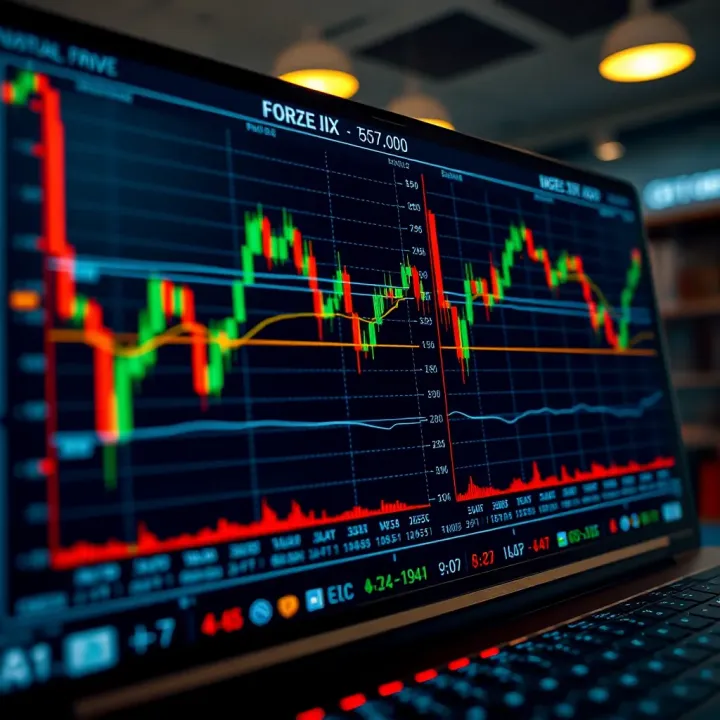
Learn how to trade forex in South Africa without any upfront costs! 📉 Explore free platforms, manage risks, and avoid common trading mistakes with this practical guide.
Based on 8 reviews